
- | 12:00 pm
Accessibility is more than a design problem
From adaptive iPhone grips to a $3,500 headset, Apple’s latest crop of assistive products shows why inclusive design depends on more than the technology itself.
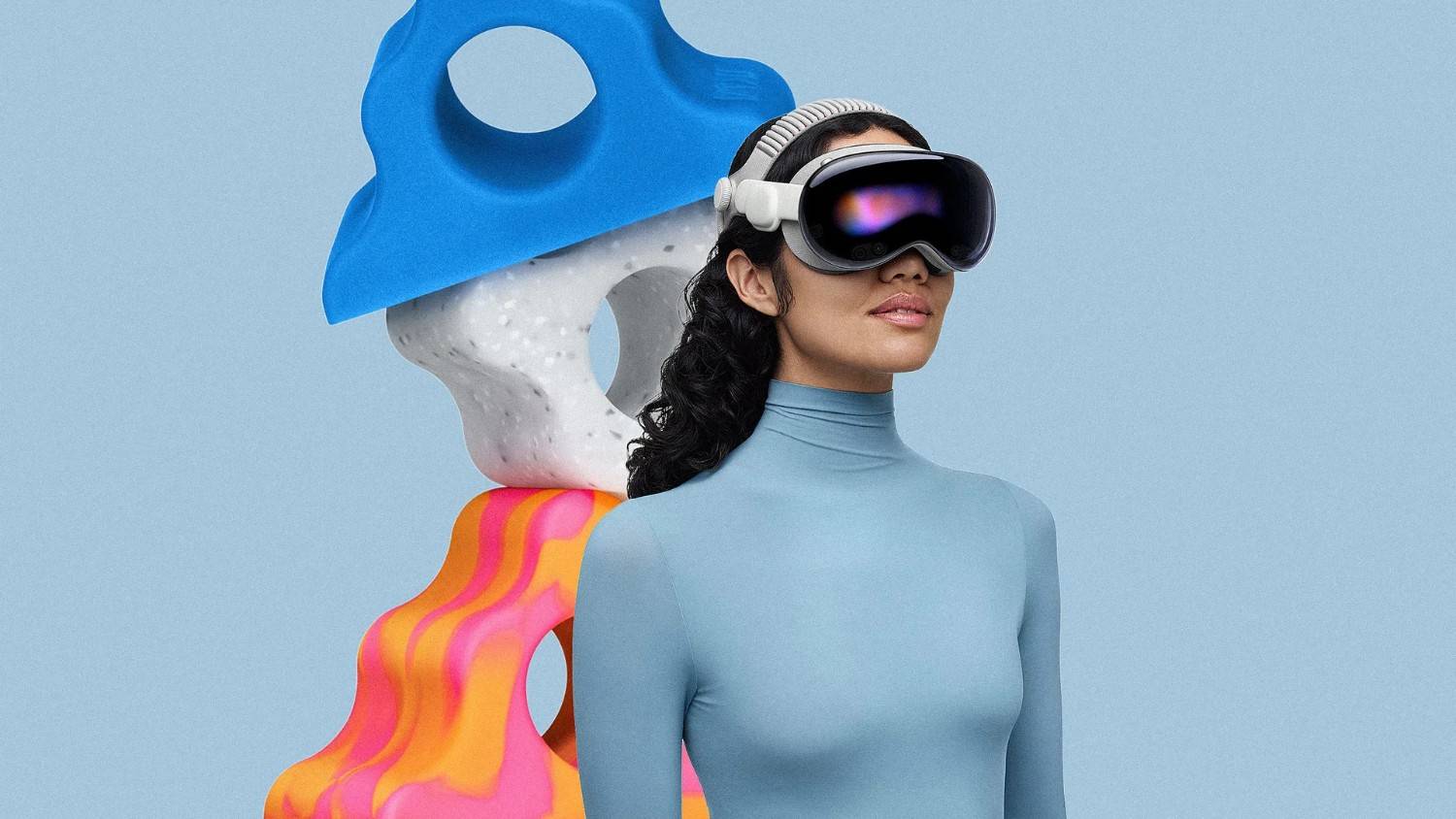


Last month, Apple marked Global Accessibility Awareness Day with a sweeping round of accessibility updates and announcements, including a new eye-controlled wheelchair interface for Vision Pro and the global launch of Los Angeles-based designer Bailey Hikawa’s adaptive MagSafe Grip & Stand for iPhone. Together, the announcements span nearly the entire spectrum of assistive technology, from a $3,500 spatial computing headset to a silicone phone grip.
Both raise the same underlying question: What does it actually take for consumer tech to get accessibility right?
The adaptive grip marks Hikawa’s first intentional venture into inclusive design, though in some ways it’s a natural extension of the maximalist iPhone cases she’s already known for online: bold colorways, sculptural ergonomics, the kind of design object that’s less a utilitarian accessory and more a playful statement piece that every cool girl on Instagram is holding in her mirror selfie.
![[Photo: Apple]](https://images.fastcompany.com/image/upload/f_webp,q_auto,c_fit,w_1024/wp-cms-2/2026/06/i-2-91559797-apple-access.jpg)
[Photo: Apple]
Designed in close collaboration with people whose disabilities affect muscle strength, dexterity, and hand control, the Grip & Stand is a soft, triangular silicone form that snaps magnetically onto any MagSafe-compatible iPhone. It doubles as a phone stand and comes in three Apple-exclusive colors: orange swirl, speckled stone, and glow-in-the-dark blue.
Launching the grip globally required a manufacturing partner. Hikawa initially released the Grip & Stand as a limited edition through Apple in November, where it sold out within days. PopSockets then partnered to scale production for a wider May release through Apple’s retail channels, a trajectory that reflects broader demand in the market. A recent Harris Poll survey found that 76% of respondents felt accessible technology products are typically designed for function over style. The Grip & Stand was built to close that gap.
Community-led design
Apple’s accessibility work dates back to the 1980s, when it established its disability solutions office, and has since evolved into built-in features such as VoiceOver, Switch Control, Assistive Access, and Live Speech, which now ship as standard across iPhone, iPad, and Mac. Hikawa’s MagSafe Grip & Stand was developed in celebration of the company’s 40-year anniversary of accessibility initiatives, and from the start, Apple insisted on a different approach than the industry norm.
Too often, mainstream brands entering the adaptive design space work top-down, guided more by nondisabled clinicians than by the end users’ lived experiences. “Apple came to me and said they wanted to design an adaptive grip, but not without the disability community,” Hikawa explains.
Before prototyping even began, Hikawa spent several months talking with people across a diverse range of abilities about how they used their phones: what worked, what didn’t, from aesthetics to ergonomics. Shane Burcaw, a disability advocate and YouTuber, was part of that early R&D phase. He explains that his iPhone has always been an assistive tech device for him.
“Apple products have been at the heart of my work and social life for years,” he says. “I’ve written my books on my phone. I use voice-to-text for communicating with everyone.” When prototyping began, Hikawa invited collaborators into her studio. “It was like being a kid and playing, just putting different things on my phone and seeing how they fit in my lap and in my hands,” Burcaw recalls. “Bailey was genuinely interested in all of our feedback, good or bad. Having a wide range of people with different disabilities was really important, too. That’s what we want: taking as many perspectives as possible into consideration.”
Alex Barone is an actor, disability advocate, and community outreach coordinator for Camp No Limits, a camp for kids and teens with limb difference and limb loss. “My daily life is very active,” he explains, “I’m always using my phone to capture content for camp or auditions, so the grip has made all of that much easier.” The magnetized design also meant he could take it on and off as needed. “I brought it to the last two camps, and everybody loved it. What stands out most is that it’s fun: the texture, the colors, the overall feel. It’s accessible, but it also just looks cool.”
But the aesthetics, Hikawa explains, are only part of the equation. “People tend to want to design for the majority,” she says. “But when we design for minority experiences, we could be discovering what’s better for everyone; it’s just designing for the human experience.”
![[Image: Apple]](https://images.fastcompany.com/image/upload/f_webp,q_auto,c_fit,w_1024/wp-cms-2/2026/06/i-1-91559797-apple-access.jpg)
[Image: Apple]
Accessibility at Apple
Apple is applying that point of view across its product line. Later this year, the company plans to release an eye-controlled interface for Vision Pro, designed for power wheelchair users for whom a joystick isn’t an option.
The Vision Pro’s eye gaze feature builds on a category of assistive technology that has existed for decades, encompassing everything from sip-and-puff controls and head arrays to gyroscope-based systems, each designed for users with various levels of mobility and access needs. Eye gaze has matured significantly in recent years, but it comes with well-documented limitations.
“Eye gaze works by interacting with a screen in front of you, which is part of the problem,” says KJ Phillips, an assistive technology professional and seating and mobility specialist. “If you need to tilt back in your chair, you lose line of sight to the camera. These systems also really struggle outdoors. Sunlight can overwhelm the camera and make it nearly impossible to read your eyes.”
Vision Pro, Phillips says, could address some of these long-standing issues. Unlike existing eye gaze systems, it doesn’t require frequent recalibration. “Since it’s an enclosed system right at your eyes, you could use it in any lighting environment without any trouble.”
What excites him most is the potential for additional tech integration. “Most alternative drive controls don’t integrate well with phone and technology access, which means you need a separate set of access methods to drive your chair and another to use your phone. Having that layered together would be a game-changer. You’re driving, a call comes in, you can answer or decline and go back to driving.”
The fact that the feature launches with Tolt and Luci, two established alternative drive systems, also gives Phillips confidence. The alternative drive space is notoriously fragmented, with every component belonging to a different manufacturer, and integration is rarely straightforward. “Tolt helps link those technologies together,” he says, “so it makes sense that they would be interfacing Apple’s technology as well.”
![[Image: Apple]](https://images.fastcompany.com/image/upload/f_webp,q_auto,c_fit,w_1024/wp-cms-2/2026/06/i-3-91559797-apple-access.jpg)
[Image: Apple]
Breaking down barriers
Still, significant barriers remain, with cost being the most immediate. “For many disabled people, a $3,500 out-of-pocket expense simply isn’t a realistic option,” Phillips says. “And insurance definitely won’t cover an Apple Vision Pro.”
There are also real clinical questions around fatigue and fit. For people living with ALS, where head control is already difficult, even a lightweight headset worn for extended periods may force them to stay reclined. Or for people with a high spinal cord injury who are less prone to fatigue, a simpler switch setup might be a better option for them.
“Eye gaze requires you to dwell on a target until it is selected,” Phillips notes. “For someone who can just go tap, tap, drive, the Vision Pro might actually be slower to operate. With assistive technology, the best solution isn’t always the most advanced one. It’s the one that creates the least amount of friction.”
For Vision Pro to succeed as an assistive tech device, Phillips says it comes down to two things: funding and simplicity. He points to powered seat elevators—once deemed a luxury item by Medicare and Medicaid—as a model. In that case, a manufacturer established a foundation allowing patients to apply for the device at no cost, building an evidence base over the years that eventually made it a standard covered benefit.
On the simplicity side, the bar is just as high. “A product has to have very few downsides for you to accept it in your life. Whether these assistive technologies succeed really comes down to affordability and ease of use,” he adds.
For Burcaw, the limitations of today’s technology matter less than what the next decade could bring. Living with a progressive form of muscular dystrophy, he thinks about the future differently. “I don’t know what my strength will be like in 10 years. Knowing that companies like Apple are already figuring out solutions that may help me and people like me down the road, that is amazing.”
He hopes that today’s progress eventually leads to something even more seamless. “My dream is a pair of glasses loaded with enough technology that I can use as an interface for my chair,” Burcaw continues. “I don’t expect that in round one with the Vision Pro, but the fact that we’re beginning, and technology is advancing so fast, who knows what it might look like in 10 years?”
Realizing that future will take more than technological ambition. Involving disabled users in the design process is already a core principle of human-centered design, and devices like the Vision Pro show how far that thinking has come. The deeper challenge is structural. Consumer technology moves on rapid product cycles built for scale, while assistive technology depends on slower clinical evaluation, funding, training, and long-term support. When those systems are misaligned, even well-designed products can fail.
For major brands entering this space, that means working with assistive technology professionals, accounting for reimbursement realities, and maintaining feedback loops with disabled users after launch. The brands that get it right will be the ones that treat accessibility as a bridge across product, infrastructure, and lived experience, rather than just a design principle.

Featured Videos
Today's Top Stories:
More Top Stories:




FROM OUR PARTNERS